ShopPilot ProFocused repair-shop system Start 30-day trial
30-day free trial

ShopPilot Pro · One focused repair shop

Run the whole repair day.

ShopPilot Pro gives a one-to-five-person repair shop one clear path from customer intake to completed work, payment, pickup, and reliable backup.

1–5 configured employeesPOS included$59.99 regular monthly rate
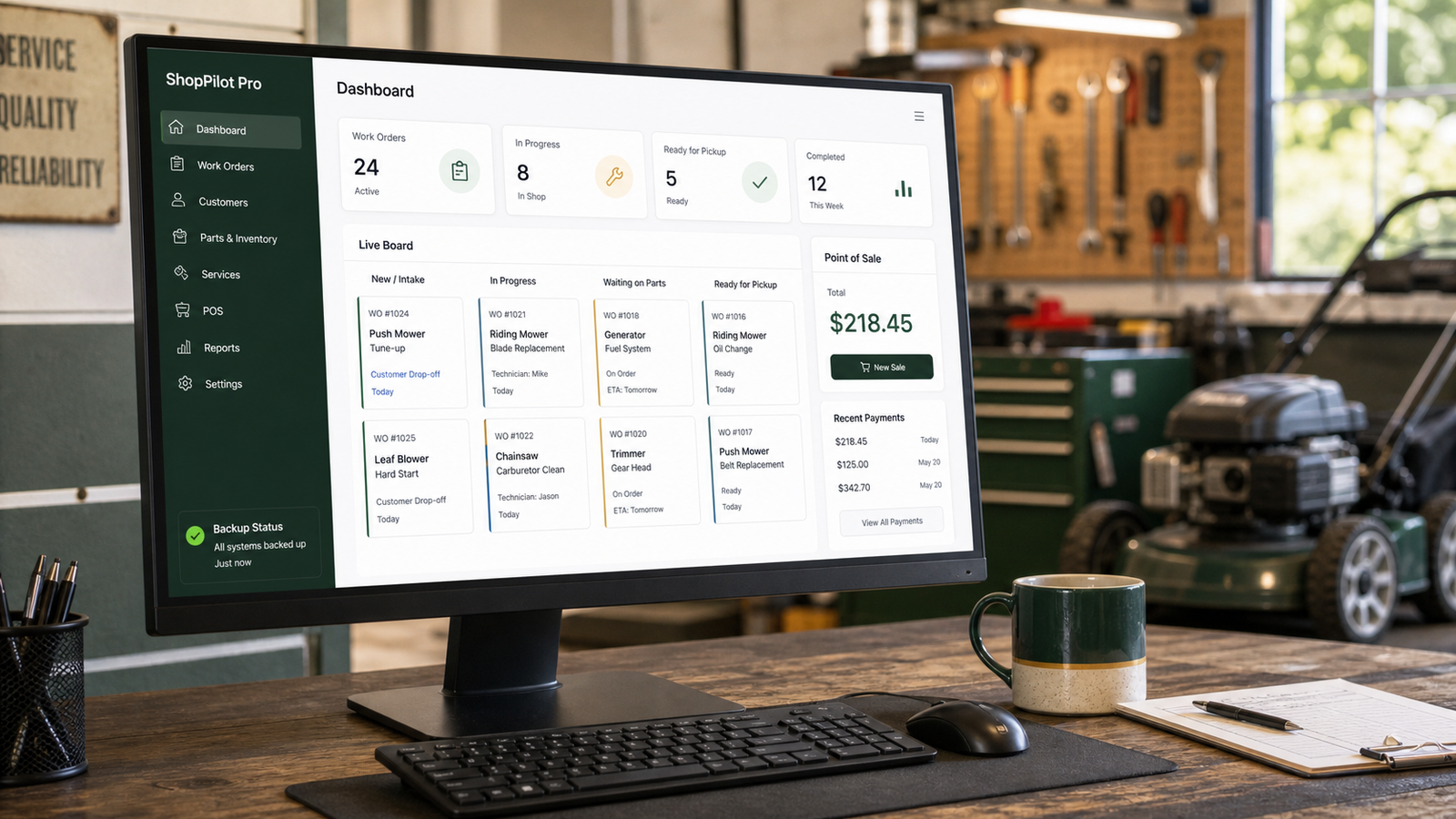
ShopPilot Pro dashboard on a computer in a working service shop
The shop at a glanceWork orders, live status, pickup readiness, POS, and backup signals stay visible from the counter.
Built forFocused repair operations
Team fitOwner + 1–5 people
Core flowIntake through POS
Access30 days free

The working-day flow

One repair record from drop-off to pickup.

Pro keeps the counter, bench, parts shelf, register, and owner desk working from the same job history.

01 · INTAKE

Capture the complete job.

Customer, equipment, complaint, photos, notes, requested work, and approvals begin together.

02 · REPAIR

Keep work visible.

The live board and shop-floor views show diagnosis, approvals, parts, service, and pickup status.

03 · PARTS + LABOR

Connect cost to the repair.

Needed parts, ordering, receiving, used parts, labor, and shop charges stay with the job.

04 · PAYMENT + PICKUP

Finish without rebuilding the story.

Move completed work into POS, receipt, customer history, pickup, closeout, and reports.

What Pro includes

The small-shop backbone, connected.

Pro is its own complete product—not a trimmed screen or a temporary bridge to XL.

01

Repair intake

Create repair orders with unit details, customer requests, photos, notes, approval status, and clear handoff information.

02

Live shop board

See open work by diagnosis, approval, parts, service, and ready-for-pickup stages on desktop or shop display.

03

Customers + history

Keep contact information, prior work, receipts, agreements, reminders, and equipment history connected.

04

Inventory + ordering

Track stocked parts, needed parts, purchase orders, receiving, costs, and what each repair consumed.

05

POS + closeout

Build the sale from completed work, collect payment, issue receipts, close the register, and review shop totals.

06

Owner protection

Use backup, recovery, setup checks, owner controls, activity history, and exportable records to protect the operation.

Real Pro screens

Built around the work already in front of you.

These views come from the current ShopPilot Pro product and show the actual repair and owner workspaces.
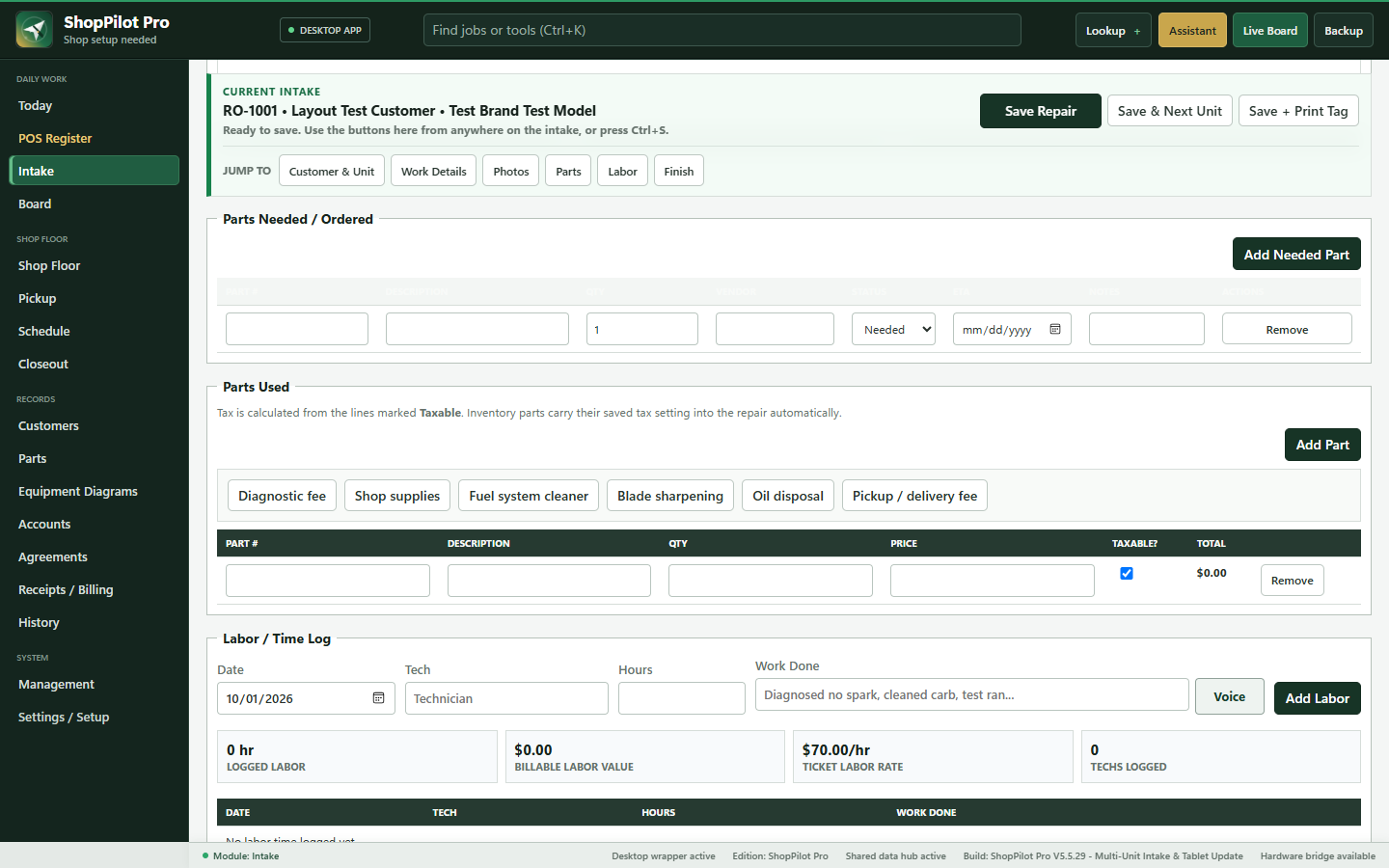
ShopPilot Pro intake workspace with parts needed, parts used, and labor sections
Repair intake workspaceMove through customer, unit, work details, photos, parts, labor, and finish without losing the job context.
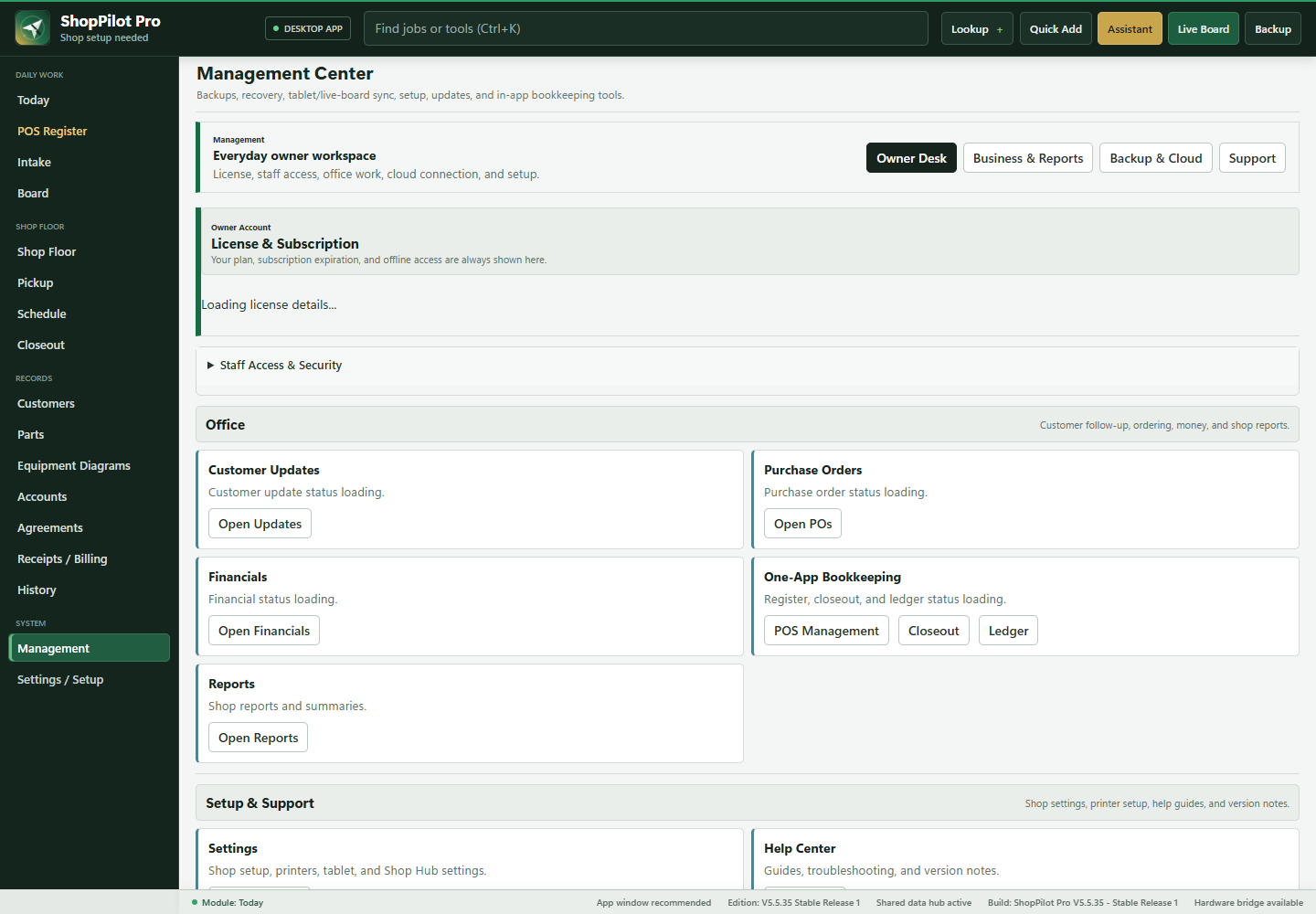
ShopPilot Pro Management Center with owner, office, reports, backup, and support controls
Management CenterKeep subscription, staff access, office work, reports, setup, support, and backup under owner control.

Choose Pro when

The owner still needs one clear shop view.

  • You run one repair location.
  • Your configured team is one to five people.
  • You want intake, repair, parts, POS, and records together.
  • You want a full 30-day trial before committing.

Look at XL when

The work is becoming a team-coordination problem.

  • You have six or more configured employees.
  • You need departments, shifts, coverage, assignments, and manager handoffs.
  • You need deeper parts intelligence, capacity planning, and quality controls.
  • You are preparing to connect multiple repair locations through the XL add-on.

Explore the family

Three products. One clear choice.

Each page explains a separate operating system, not another face of the same program.

Start with the whole system

Try ShopPilot Pro free for 30 days.

Test the working flow in your own operation before the regular monthly rate begins.